Call now:
1-866-400-9292
Int'l: 1-513-239-6322

Access Manager

The ACTA3 can act in standalone or with many units in Network mode with the new program; Access Manager. This program was designed to consolidate users (employers) onto one software platform, regardless of the number of ACTAtek’s used on a network (Access Manager lite can only have up to 10 units connected). This program is able to hold up to 30,000 users depending on the storage space available on the server.


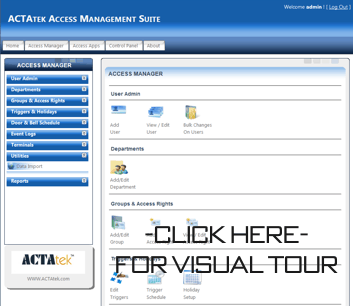
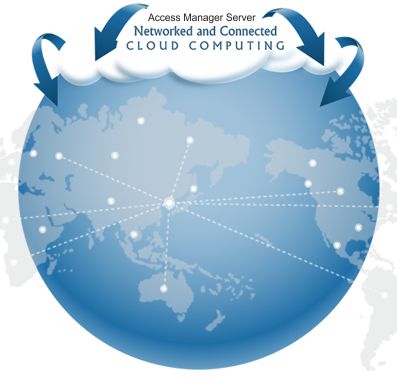
The Access Manager gives complete web based management to one or all of your ACTAtek units. You can gather information from any location, at any time, just by logging onto the browser via the web. Adding/Editing users becomes an easy process along with managing access groups/ Departments, open door times/ door & bell schedules, and creating reports.

Access Manager Lite vs. Access Manager Suite

Access Manager Lite comes free with every unit and allows for User Administration Management, Access Control Management, Event Logs Management and Reporting Management for up to 10 ACTAtek units.

Access Manager Suite must be used with over 10 ACTAtek units to automatically synchronize the user data. This Suite Version has the ability to go above and beyond the Lite Version. Not only is it compatible with more units but it gives the ability to create Shift Reports (This report shows employee’s first IN event and last OUT event in the working shift.) and allows assigned new or existing users to certain Units only.

Access Manager Suite is chargeable per unit unlike the Lite Version.


Light Version Suite Version
Terminal Limit Up to 10 Terminals Up to 150 Terminals per server installation
Price Free Chargeable
Technical Support New features& software customization not supported New features& software customization supported
User Administration management
Add /Delete/Edit Users Yes Yes
Add /Delete/Edit Departments Yes Yes
Allow assigned new added/existing Users to certain Units only Not Supported Yes
Mass user data import utility support CSV file for data mapping Yes Yes
Mass user data update utility Yes, pending. Yes
Access Control management
Add /Delete/Edit Access Group Yes Yes
Add /Delete/Edit Access Rights Yes Yes
Enable/Disable Quick Access Yes Yes
triggers/Holidays schedule setup Yes Yes
Event Logs management
View Event Logs Yes Yes
Search options e.g. search by Date/User Name/Terminals Yes Yes
Reporting management
Daily In/Out Reports (Description: It’s generated by taking the First IN and Last OUT, and calculate the total working hours to be paid) Yes Yes
Detailed Reports (Description:It’s generated by taking intervals between every IN and OUT, add them up as a daily total working hours.) Yes Yes
Attendance Report (Description:This report shows employee IN/OUT events in a day. If there are multiple IN/OUT event, it will span across horizontally for that day. ) Yes Yes
Late Report (Description:It is calculating how many hours users came for work early/late and knock off from work early/late.) Yes (It’s required to set the working hours at the late report configuration menu.) Yes (The calculation is based on the work schedule configured)
Absent Report (Description: It’s generated by indicating Absent if no event logs for that user is detected on that day, otherwise Present will be shown.) Yes Yes
Shifts Report (Description:This report shows employee’s first IN event and last OUT event in his/her working shift.) Not Supported Yes
User Status Report (Description:It is displaying the last event ID and timestamp for the users.) Yes Yes
System Security ,Utility & Integration
Multi-user login level control Yes Yes
System audit logs viewer Yes Yes
SSL encryption communication between Units and AM Server Not Supported Yes
Database backup Utility Yes, pending. Yes, pending.
Database support MS SQL 2005 /2008 Express, MS SQL 2005/2008(32bit/64bit) MS SQL 2005 ,MS SQL 2008 (32bit/64bit) , Oracle database support
Software requirements
Operating System Windows XP Pro. 32 bit/ Windows Vista/Windows 7 (32bit/64bit) Windows Server 2003/2008 (recommended), Windows VISTA/ Windows 7 (32bit/64bit)
Web browser I.E.8 (recommended) I.E.8 (recommended)
Web server UltiDev Cassini 2.0 required (including in installation package) Microsoft Internet Information Services (IIS) 7.0 required
Database MS SQL 2005 /2008 Express, MS SQL 2005/2008(32bit/64bit) MS SQL 2005 ,MS SQL 2008 (32bit/64bit) , Oracle database support